
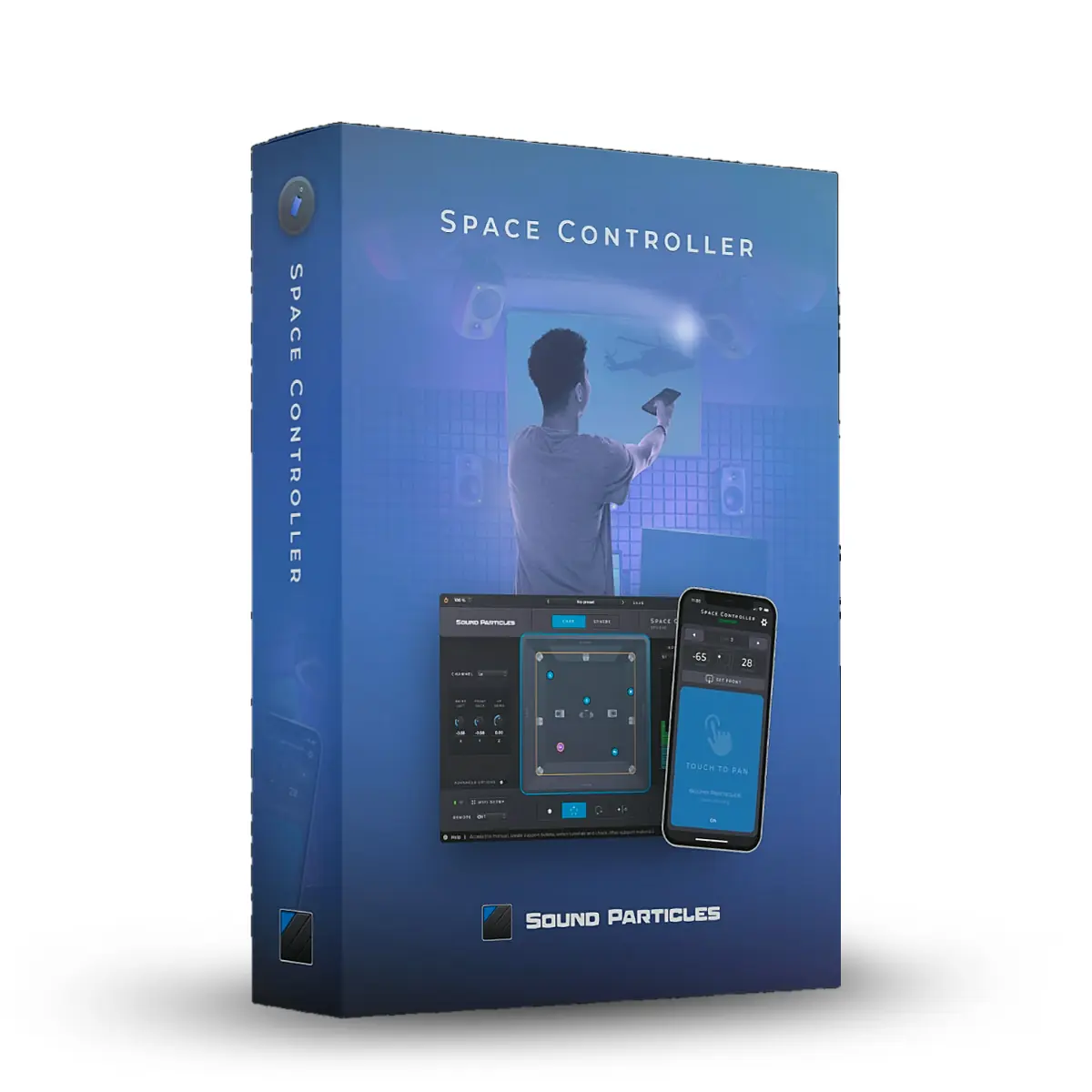
Sound Particles Space Controller Studio Education (Digital Download)
Digital licence – this is a digital download (no box or physical product). Your activation code and download instructions are delivered by email, usually same day or within 24 hours. Unfortunately incorrectly ordered software licences cannot be refunded or returned, so please check the edition and eligibility before ordering.
Education licence – proof of eligibility required. For current students, teachers and education staff. Email a photo of your student or staff ID, or an enrolment or employment letter, to [email protected] when you order. Your licence is issued once verified.
Phone required – Space Controller uses the free Space Controller app on an iPhone or Android phone, connected to the plug-in in your DAW.
Space Controller is the best way to pan sounds in surround and immersive. Simply connect your mobile device to a DAW, use it as a movement reader and pan the sounds to where you’re pointing.
This edition
- Connects by Wi-Fi or Bluetooth
- Any output format, from stereo and binaural up to 22.2 and 9.1.6
- Ideal for a mixing stage
Control panning with the palm of your hand
By connecting a mobile device and its motion sensors with any DAW, our patent pending technology offers a highly efficient and intuitive way to control sounds with the palm of your hand. Every movement you can imagine is now possible, easier than ever – and just a touch away.
Key features
- Copy and paste automation to Dolby Atmos Objects
- Pan in even more audio formats (Quad, 4.0, LCR, LCRS, 5.0.2, 5.1.2, 5.0.4, 5.1.4, 7.0.4, 7.0.6, 7.1.6, 9.0.8, 9.1.8, 11.1.8)
- Control the LFE channel
- Work with an increased number of communication links (128)
Revolutionize the way you pan your sounds
Panning with knobs in stereo is perfectly fine. However, when working with surround or 3D sound, even when using joysticks, it’s much harder to get the results we’re looking for. Space Controller is a plugin and an app, that together allow you to pan sound from stereo to any immersive format, either in a home studio or mixing stage.
Cube and Sphere Modes
If you are working with Ambisonics, VR or other sphere-related workflows, the Sphere Mode is perfect for you. If you prefer a more traditional approach, the Cube Mode is the one you’re looking for.
Channels
Space Controller allows you to control sound as: a single mono source, independent channels, rotating entire soundfields, or mirror-like approaches. The plugin gives you the best accuracy and smoothness to control exactly where you want sounds to go.
Tracks
It is possible to either use the same mobile device to control multiple tracks or use multiple mobile devices to control different channels. Imagine using two devices at the same time: one for the left channel and another for the right channel. The more devices, the more fun!
Panner
The Space Controller plugin and all the features it offers allow for absolute spatial freedom. So even without the mobile device and the app, it is still possible to use Space Controller as a regular 3D panner plugin.
Communication
Use Bluetooth to easily connect the mobile app to any system, with minimum effort. In the case of professional studios with computers located in different rooms, we advise using the Wi-Fi connection for seamless workflows.
System requirements
OS: macOS 13.3 or later (Intel or Apple Silicon) / Windows 11 or later
Format: AAX Native, AU, AUv3 and VST3 plug-in + free iOS / Android app
CPU: 2-core or better (4-core recommended)
RAM: 4 GB (8 GB recommended)
Disk space: 600 MB
Related products
-

PRO TOOLS Ultimate
Original price was: $949.$909Current price is: $909.
Perpetual – UpgradeIn stock
-

SIBELIUS Artist
$99
Perpetual – UpgradeIn stock
-

PRO TOOLS Artist
Price range: $129 through $169
1yr SubscriptionIn stock
This product has multiple variants. The options may be chosen on the product page -

PRO TOOLS Artist
$129
Perpetual – UpgradeIn stock
-

REASON 14
Original price was: $479.$319Current price is: $319.In stock
-

PRO TOOLS Ultimate
$2,499
Perpetual – NewIn stock
SOUND PARTICLES
Space Controller Studio Education
$319
In stock
see more from:
SOUND PARTICLES
Space Controller Studio Education
$319
In stock
Sound Particles Space Controller Studio Education (Digital Download)
Digital licence – this is a digital download (no box or physical product). Your activation code and download instructions are delivered by email, usually same day or within 24 hours. Unfortunately incorrectly ordered software licences cannot be refunded or returned, so please check the edition and eligibility before ordering.
Education licence – proof of eligibility required. For current students, teachers and education staff. Email a photo of your student or staff ID, or an enrolment or employment letter, to [email protected] when you order. Your licence is issued once verified.
Phone required – Space Controller uses the free Space Controller app on an iPhone or Android phone, connected to the plug-in in your DAW.
Space Controller is the best way to pan sounds in surround and immersive. Simply connect your mobile device to a DAW, use it as a movement reader and pan the sounds to where you’re pointing.
This edition
- Connects by Wi-Fi or Bluetooth
- Any output format, from stereo and binaural up to 22.2 and 9.1.6
- Ideal for a mixing stage
Control panning with the palm of your hand
By connecting a mobile device and its motion sensors with any DAW, our patent pending technology offers a highly efficient and intuitive way to control sounds with the palm of your hand. Every movement you can imagine is now possible, easier than ever – and just a touch away.
Key features
- Copy and paste automation to Dolby Atmos Objects
- Pan in even more audio formats (Quad, 4.0, LCR, LCRS, 5.0.2, 5.1.2, 5.0.4, 5.1.4, 7.0.4, 7.0.6, 7.1.6, 9.0.8, 9.1.8, 11.1.8)
- Control the LFE channel
- Work with an increased number of communication links (128)
Revolutionize the way you pan your sounds
Panning with knobs in stereo is perfectly fine. However, when working with surround or 3D sound, even when using joysticks, it’s much harder to get the results we’re looking for. Space Controller is a plugin and an app, that together allow you to pan sound from stereo to any immersive format, either in a home studio or mixing stage.
Cube and Sphere Modes
If you are working with Ambisonics, VR or other sphere-related workflows, the Sphere Mode is perfect for you. If you prefer a more traditional approach, the Cube Mode is the one you’re looking for.
Channels
Space Controller allows you to control sound as: a single mono source, independent channels, rotating entire soundfields, or mirror-like approaches. The plugin gives you the best accuracy and smoothness to control exactly where you want sounds to go.
Tracks
It is possible to either use the same mobile device to control multiple tracks or use multiple mobile devices to control different channels. Imagine using two devices at the same time: one for the left channel and another for the right channel. The more devices, the more fun!
Panner
The Space Controller plugin and all the features it offers allow for absolute spatial freedom. So even without the mobile device and the app, it is still possible to use Space Controller as a regular 3D panner plugin.
Communication
Use Bluetooth to easily connect the mobile app to any system, with minimum effort. In the case of professional studios with computers located in different rooms, we advise using the Wi-Fi connection for seamless workflows.
System requirements
OS: macOS 13.3 or later (Intel or Apple Silicon) / Windows 11 or later
Format: AAX Native, AU, AUv3 and VST3 plug-in + free iOS / Android app
CPU: 2-core or better (4-core recommended)
RAM: 4 GB (8 GB recommended)
Disk space: 600 MB
see more from:
Related products
-

SIBELIUS Artist
$249
Perpetual – NewIn stock
-

PRO TOOLS Ultimate
$499
Multiseat EducationIn stock
This product has multiple variants. The options may be chosen on the product page -

SIBELIUS Ultimate
Price range: $259 through $319
1yr SubscriptionIn stock
This product has multiple variants. The options may be chosen on the product page