
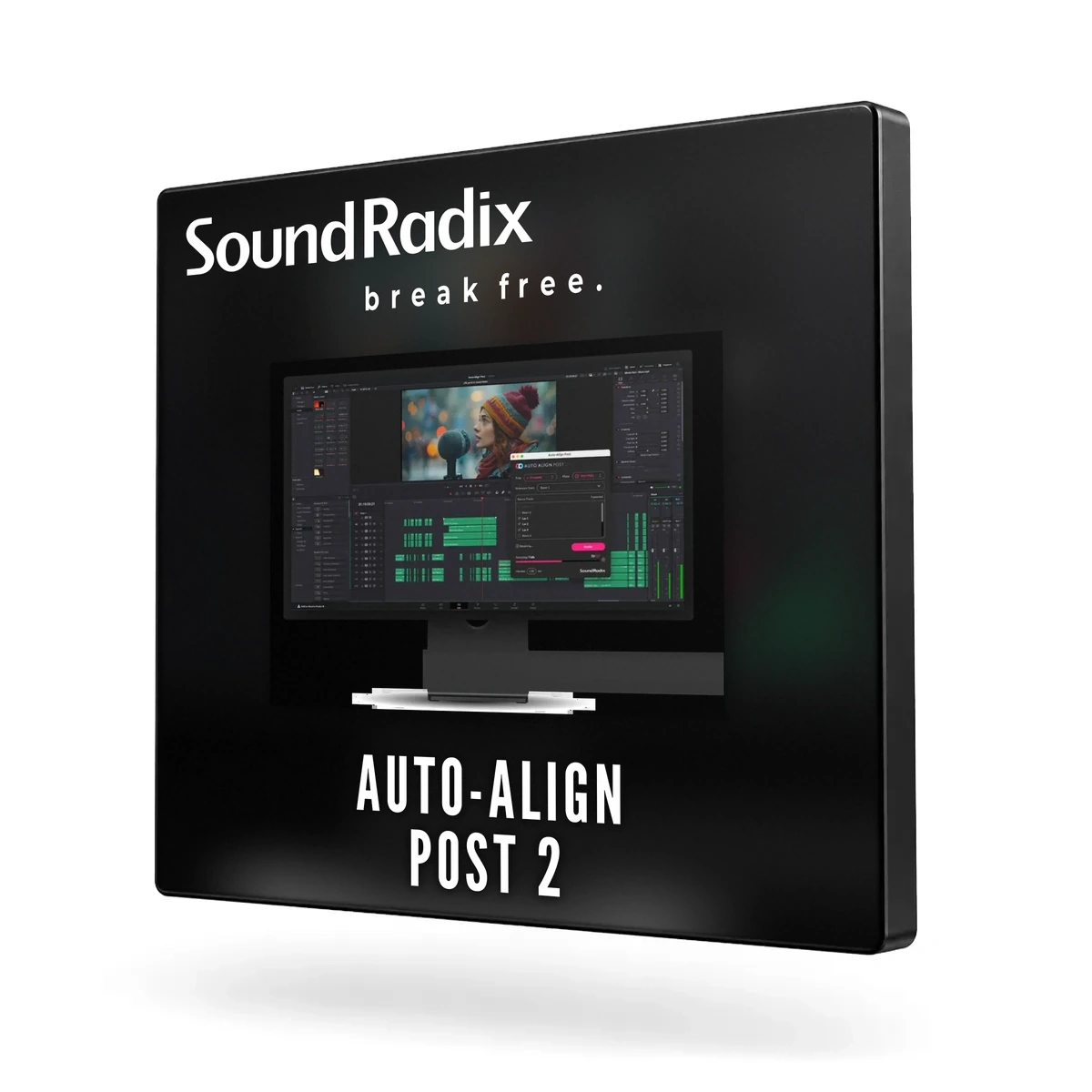
Sound Radix Auto-Align Post 2 (Digital Download)
Digital licence – this is a digital download (no box or physical product). Your activation code and download instructions are delivered by email, usually same day or within 24 hours. Unfortunately incorrectly ordered software licences cannot be refunded or returned, so please check the edition and eligibility before ordering.
Since its debut in 2018, Auto-Align Post has transformed dialogue editing, becoming an essential tool in countless award-winning films and TV shows. It’s saved dialogue editors days of work by dynamically time-aligning moving location mics, making it easy to mix boom and lav mics without comb-filtering or phase issues, resulting in a cleaner, more natural sound.
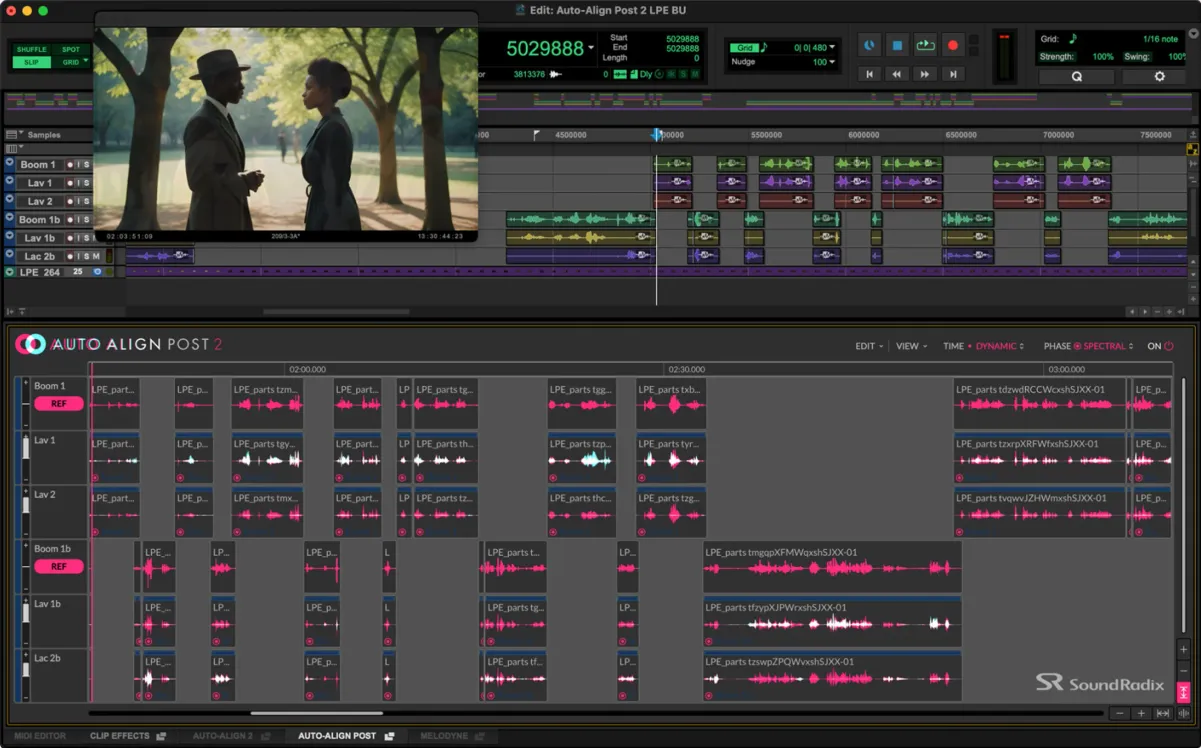
Auto-Align Post 2 takes it even further with seamless ARA2 integration, improved algorithms, adaptive spectral phase correction, and a new one-click re-align workflow. Plus, the real-time phase correlation meter and track-focused edit window streamline your workflow, ensuring your dialogue sounds its best.
What’s New In Version 2.3
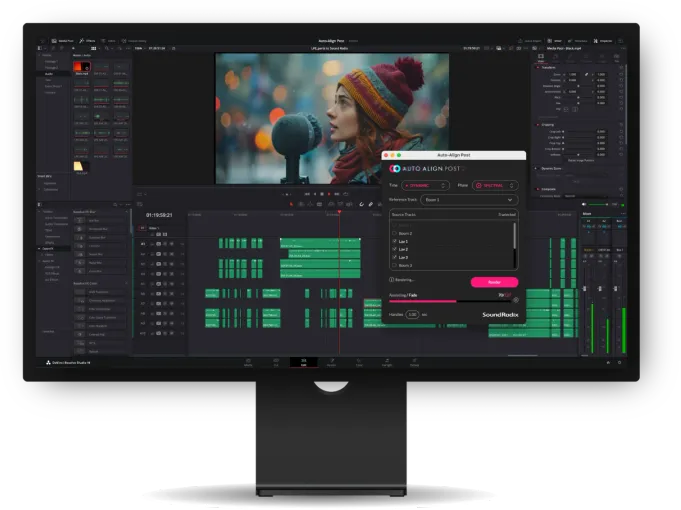
Auto-Align Post 2.3 now features native support for Blackmagic’s DaVinci Resolve Studio, expanding its compatibility across a wide range of platforms. Whether you’re working in Pro Tools, DaVinci Resolve, or other industry-standard software, Auto-Align Post integrates seamlessly, making it effortless to get your mics perfectly in phase and achieve award-winning dialogue with ease.
Key Features
Automatically adjusts the timing of recorded microphones, eliminating phase issues and ensuring clear, cohesive dialogue. This post-recording process allows dialogue editors and mixers to achieve a polished final mix with less manual effort, saving time in post-production.
Supports AAX Audiosuite, AAX/VST/AU with ARA2, DaVinci Resolve Studio, and Adobe Premiere, allowing dialogue editors and mixers to work within their preferred environments for greater flexibility and efficiency.
No need to fiddle with complicated controls or parameters—Auto-Align Post just works. Its intuitive design allows dialogue editors and mixers to focus on their craft without getting bogged down by technical adjustments, delivering award-winning dialogue at your fingertips. This streamlined workflow ensures phase alignment is fast, efficient, and effortless.
Designed for post-edit corrections when frame and sample resolutions are misaligned. This feature allows dialogue editors and mixers to align all tracks as a group, locking them back to the edit. It’s also useful for stationary microphones in foley or music recording setups.
Corrects phase discrepancies across the frequency spectrum, preserving tonal clarity. For example, if a high-pass filter is applied to one of the aligned microphones, it can introduce phase shifts, causing low-end cancellation even when the mics are time-aligned. By dynamically optimizing phase relationships, Auto-Align Post ensures that dialogue editors and mixers achieve a natural, cohesive sound, reducing the need for manual adjustments.
System requirements
Microphones time-alignment of up to ±100ms or distances of up to ~112 feet / ~34 meters
Spectral Phase Correction Module corrects phase-shift caused by electronic and acoustic filters
Dynamic mode enables continuous phase/time correction for moving actors or cameras
Static mode enables fixed phase/time correction for stationary microphones
Transparent
Multi-channel support
Spectral Phase Correlation Meter
Highly optimized for CPU efficiency and operation speed
Easy to operate – no manual adjustments required
Mac: 64-bit Intel Core CPU or Apple Silicon, 8GB RAM, macOS 10.14 or higher
Windows: 64-bit Intel Core or AMD CPU, 8GB RAM, Windows 10 or higher
Plug-in formats: AudioSuite (Media Composer is not supported), ARA2, Adobe Premiere
Free iLok account and iLok License Manager (iLok USB key is not required)
Full details: soundradix.com/products/auto-align-post/.
Related products
-

PRO TOOLS Ultimate
$499
1yr Subscription EducationIn stock
This product has multiple variants. The options may be chosen on the product page -

SIBELIUS Ultimate
$479
Perpetual Education – NewIn stock
-

PRO TOOLS Artist
$129
Perpetual – UpgradeIn stock
-

Avid PhotoScore & NotateMe Ultimate
$479In stock
-

PRO TOOLS Studio
Price range: $159 through $169
1yr Subscription EducationIn stock
This product has multiple variants. The options may be chosen on the product page -

PRO TOOLS Studio
$1,029
Perpetual Licence – NewIn stock
SOUND RADIX
Auto-Align Post 2
Original price was: $629.$479Current price is: $479.Sale ends 9 Dec 2026
In stock
see more from:
SOUND RADIX
Auto-Align Post 2
Original price was: $629.$479Current price is: $479.Sale ends 9 Dec 2026
In stock
Sound Radix Auto-Align Post 2 (Digital Download)
Digital licence – this is a digital download (no box or physical product). Your activation code and download instructions are delivered by email, usually same day or within 24 hours. Unfortunately incorrectly ordered software licences cannot be refunded or returned, so please check the edition and eligibility before ordering.
Since its debut in 2018, Auto-Align Post has transformed dialogue editing, becoming an essential tool in countless award-winning films and TV shows. It’s saved dialogue editors days of work by dynamically time-aligning moving location mics, making it easy to mix boom and lav mics without comb-filtering or phase issues, resulting in a cleaner, more natural sound.
Auto-Align Post 2 takes it even further with seamless ARA2 integration, improved algorithms, adaptive spectral phase correction, and a new one-click re-align workflow. Plus, the real-time phase correlation meter and track-focused edit window streamline your workflow, ensuring your dialogue sounds its best.
What’s New In Version 2.3
Auto-Align Post 2.3 now features native support for Blackmagic’s DaVinci Resolve Studio, expanding its compatibility across a wide range of platforms. Whether you’re working in Pro Tools, DaVinci Resolve, or other industry-standard software, Auto-Align Post integrates seamlessly, making it effortless to get your mics perfectly in phase and achieve award-winning dialogue with ease.
Key Features
Automatically adjusts the timing of recorded microphones, eliminating phase issues and ensuring clear, cohesive dialogue. This post-recording process allows dialogue editors and mixers to achieve a polished final mix with less manual effort, saving time in post-production.
Supports AAX Audiosuite, AAX/VST/AU with ARA2, DaVinci Resolve Studio, and Adobe Premiere, allowing dialogue editors and mixers to work within their preferred environments for greater flexibility and efficiency.
No need to fiddle with complicated controls or parameters—Auto-Align Post just works. Its intuitive design allows dialogue editors and mixers to focus on their craft without getting bogged down by technical adjustments, delivering award-winning dialogue at your fingertips. This streamlined workflow ensures phase alignment is fast, efficient, and effortless.
Designed for post-edit corrections when frame and sample resolutions are misaligned. This feature allows dialogue editors and mixers to align all tracks as a group, locking them back to the edit. It’s also useful for stationary microphones in foley or music recording setups.
Corrects phase discrepancies across the frequency spectrum, preserving tonal clarity. For example, if a high-pass filter is applied to one of the aligned microphones, it can introduce phase shifts, causing low-end cancellation even when the mics are time-aligned. By dynamically optimizing phase relationships, Auto-Align Post ensures that dialogue editors and mixers achieve a natural, cohesive sound, reducing the need for manual adjustments.
System requirements
Microphones time-alignment of up to ±100ms or distances of up to ~112 feet / ~34 meters
Spectral Phase Correction Module corrects phase-shift caused by electronic and acoustic filters
Dynamic mode enables continuous phase/time correction for moving actors or cameras
Static mode enables fixed phase/time correction for stationary microphones
Transparent
Multi-channel support
Spectral Phase Correlation Meter
Highly optimized for CPU efficiency and operation speed
Easy to operate – no manual adjustments required
Mac: 64-bit Intel Core CPU or Apple Silicon, 8GB RAM, macOS 10.14 or higher
Windows: 64-bit Intel Core or AMD CPU, 8GB RAM, Windows 10 or higher
Plug-in formats: AudioSuite (Media Composer is not supported), ARA2, Adobe Premiere
Free iLok account and iLok License Manager (iLok USB key is not required)
Mac: 64-bit Intel Core CPU or Apple Silicon, 8GB RAM, macOS 10.14 or higher
Windows: 64-bit Intel Core or AMD CPU, 8GB RAM, Windows 10 or higher
Plug-in formats: AudioSuite (Media Composer is not supported), ARA2, Adobe Premiere
Free iLok account and iLok License Manager (iLok USB key is not required)
Full details: soundradix.com/products/auto-align-post/.
see more from:
Related products
-
PRO TOOLS Studio
Price range: $159 through $169
1yr Subscription EducationIn stock
This product has multiple variants. The options may be chosen on the product page -

SIBELIUS Ultimate
$949
Perpetual Education BUNDLE – NewIn stock
-

PRO TOOLS Studio
$379
Perpetual – UpgradeIn stock